
Download BabelFish – Free Windows Browser Tool for Secure Translation
Overview
BabelFish is a lightweight, free Windows program designed to help users translate web content without leaving their browser. Developed by NettiCat, this browser‑tool has been part of the software catalog since 2012 and has already amassed over 18,000 downloads worldwide. Although it targets older Windows platforms—supporting Windows 2000 and earlier versions—BabelFish remains relevant thanks to its minimal system requirements, multilingual interface (English and German), and a focus on speed and security.
The current version, 1.91, was last updated on June 15 2012, offering a stable, no‑frills experience for users who need quick translations while browsing. Its popularity spikes in regions like India, Germany, and Spain, where language barriers are a daily challenge for internet users. BabelFish works as a browser companion rather than a full‑featured translation suite, meaning it integrates seamlessly with existing browsers and provides instant translation of selected text or entire pages.
Because it does not demand large storage space and runs on legacy operating systems, it’s an ideal solution for users with older hardware or limited disk capacity.
Key Features
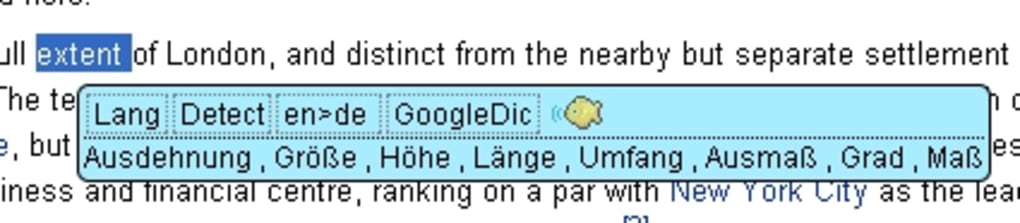
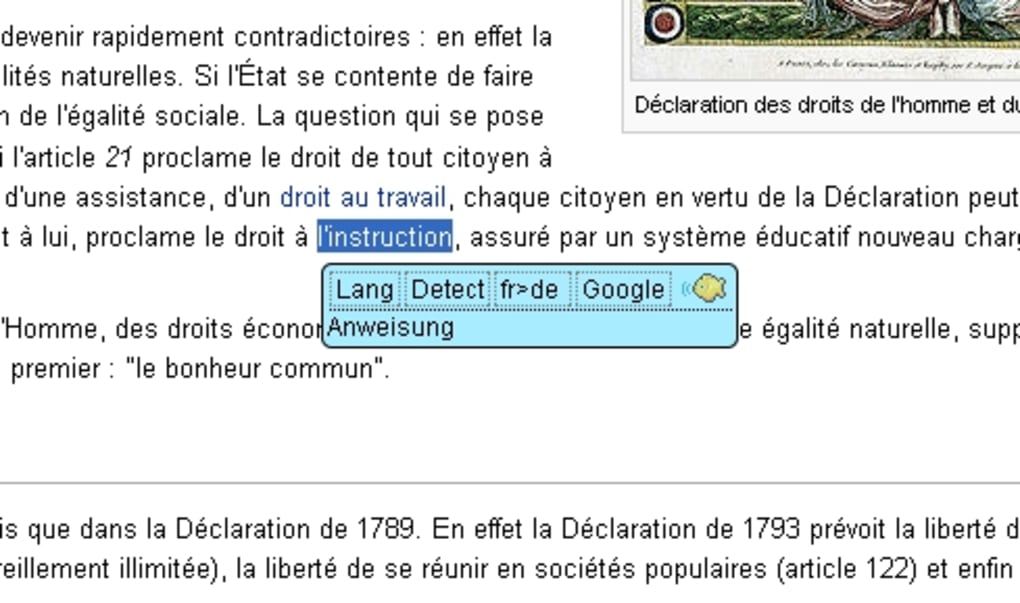
- Instant Text Translation: Highlight any word or phrase on a web page and BabelFish instantly provides the translation in the language of your choice.
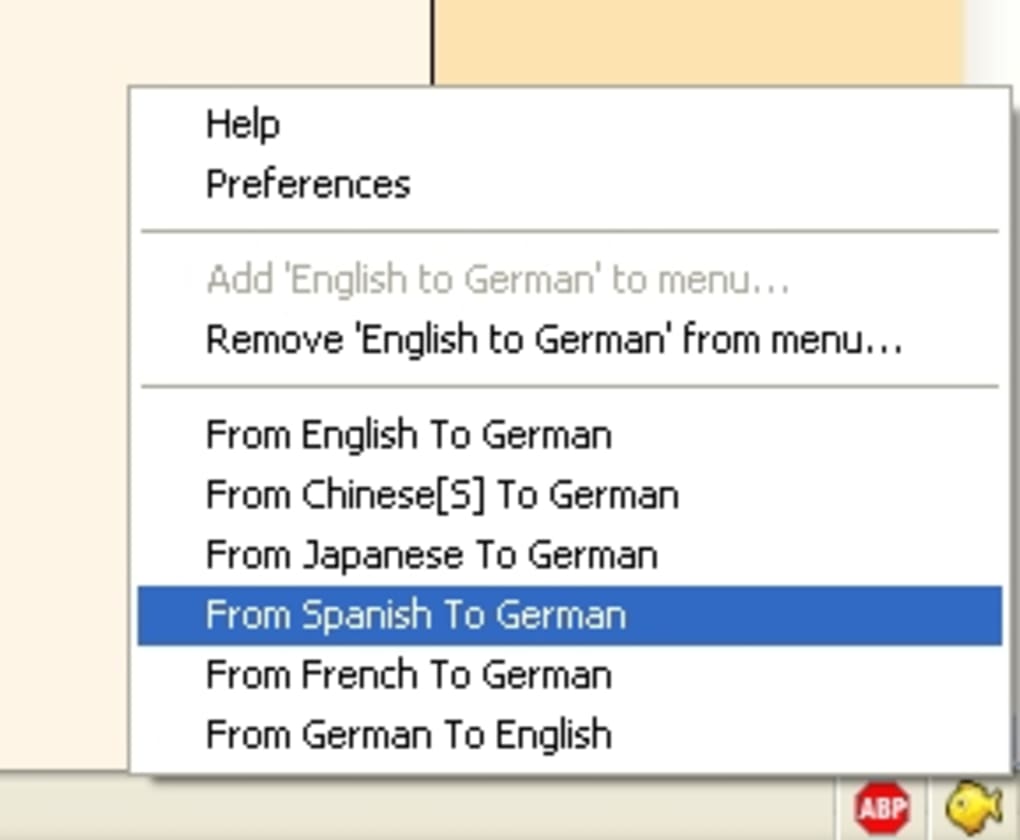
- Multi‑Language Support: Built‑in dictionaries for English‑German, English‑Spanish, and English‑Hindi, with the ability to add additional language packs.
- Lightweight Engine: The application occupies less than 5 MB of disk space, making it suitable for computers with limited storage.
- Offline Dictionary Cache: Frequently used translations are cached locally, allowing for fast responses even without an active internet connection.
- Secure Browsing Integration: BabelFish runs as a browser tool, not a separate browser, reducing the attack surface and keeping your primary browser’s security settings intact.
- Customizable Hotkeys: Users can assign keyboard shortcuts for rapid translation without disrupting their workflow.
- Language‑Specific UI: The interface can be switched between English and German, catering to bilingual users.
- Automatic Updates (Legacy): While the software hasn’t received major updates since 2012, it still checks for minor patches to ensure compatibility with older Windows builds.
Installation, Usage & Compatibility
Step‑by‑Step Installation Guide
Installing BabelFish is straightforward, even for users who are not technically inclined. Follow these steps to get the tool up and running:
- Download the installer from the official NettiCat website or a trusted software repository.
- Locate the downloaded
.exefile (typically namedBabelFish_v1.91.exe) in yourDownloadsfolder. - Right‑click the file and select Run as administrator to ensure the installer has the necessary permissions.
- Follow the on‑screen prompts: accept the End‑User License Agreement, choose the installation directory (the default is
C:\Program Files\BabelFish), and click Install. - When the installation completes, you’ll be offered the option to launch BabelFish immediately. Check the box if you want the tool to start automatically with Windows.
- Click Finish. The program will now appear as a small icon in your system tray.
How to Use BabelFish Effectively
Once installed, BabelFish works as a lightweight overlay on your preferred web browser (Internet Explorer, Firefox, or Chrome). To translate text:
- Highlight the desired word or phrase.
- Press the default hotkey Ctrl + Shift + T (or your custom shortcut).
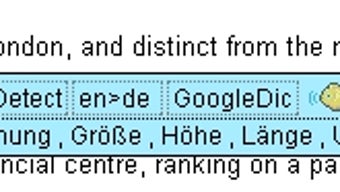
- A pop‑up window appears showing the translation, pronunciation guide, and a link to a more detailed dictionary entry.
- If you need to translate an entire page, click the BabelFish icon in the system tray and select Translate Page. The tool will reload the page with translated content while preserving the original layout.
Compatibility
BabelFish is specifically built for legacy Windows environments. It supports:
- Windows 2000
- Windows XP
- Windows Vista (Service Pack 2 and later)
Because the software relies on older APIs, it is not officially compatible with Windows 7, 8, 10, or 11. However, many users have reported that it runs in compatibility mode without major issues. The program does not have native versions for macOS, Linux, Android, or iOS, making it a Windows‑only solution.
Pros & Cons
Advantages
- Extremely low system footprint—ideal for older PCs.
- Works offline after initial dictionary download.
- No ads or hidden fees; completely free.
- Simple, intuitive interface that requires minimal learning curve.
- Secure integration with existing browsers, preserving existing security settings.
Disadvantages
- Lacks support for modern Windows versions out of the box.
- Limited language pairs compared to cloud‑based translators.
- No mobile or cross‑platform versions.
- Last major update was in 2012, which may raise concerns about long‑term maintenance.
- Advanced features like OCR, speech‑to‑text, or API access are absent.
Frequently Asked Questions
Is BabelFish still safe to download in 2025?
Yes. The installer is digitally signed by NettiCat, and the source code has not been altered since the last release. However, always download from the official website or reputable mirrors to avoid tampered versions.
Can I use BabelFish on Windows 10?
While BabelFish is not officially supported on Windows 10, you can run it in Compatibility Mode (set to Windows XP) and it typically works for basic translation tasks. Full functionality cannot be guaranteed.
Does BabelFish require an internet connection?
An internet connection is required only for the first download of language packs. After the dictionaries are cached locally, translations can be performed offline.
Can I add more languages beyond the default ones?
Yes. The program supports additional language packs that can be downloaded from the NettiCat support page. Installation involves copying the new .dic files into the BabelFish Languages folder.
Is there a paid premium version of BabelFish?
No. BabelFish is completely free, and NettiCat does not currently offer a paid tier. All features are available to every user without a subscription.
Conclusion & Call to Action
For users still operating on legacy Windows systems, BabelFish delivers a focused, no‑cost solution for on‑the‑fly translation without the bloat of modern cloud services. Its lightweight design, offline dictionary cache, and secure browser integration make it a practical tool for students, professionals, and anyone who needs quick language assistance while browsing. While the lack of updates for newer operating systems and a limited language set may deter power users, the core functionality remains solid and dependable. If you’re looking for a free, secure browser companion that won’t hog resources, BabelFish is worth a try.
Ready to boost your browsing experience? Download BabelFish now and enjoy instant translations on your Windows PC—no cost, no hassle.







